Why Most First-Time AI Video Ads Underperform (And How to Avoid It)
When someone creates their first AI video ad and it does not perform, the usual assumption is that the AI video quality is the problem. In my experience, that is almost never actually the case.
The most common reasons a first AI video ad underperforms:
- The hook is weak — it does not stop the scroll in the first 2 seconds
- The script is too long — it tries to communicate five things when it should communicate one
- The avatar does not match the target audience demographic
- The call-to-action is vague or buried at the end
None of these are AI problems. They are copywriting and strategy problems. The good news is they are fixable, and fixing them costs essentially nothing when you are working with AI generation — you can regenerate with an improved script immediately rather than waiting two weeks for a creator to reshoot.
This guide walks through every step of creating a high-performing AI video ad, including the specific things we have learned from seeing thousands of ads created and tested through UGCAds.
What You Need Before You Start
The practical requirements for creating an AI video ad are minimal:
- An account on an AI video platform (UGCAds takes about 2 minutes to set up)
- A clear answer to: who is this ad for, what is the one problem it solves, and what do I want them to do?
- A product or service you can describe in plain language
No camera. No microphone. No editing software. No video production experience.
What I would strongly recommend having before you start writing: 10 minutes spent doing this exercise — write down the three things your target customer most dislikes about their current solution to the problem your product solves. These are your hooks. If you start with genuine pain points, the script almost writes itself.
Step 1: Writing the Script — The Most Important Part of the Whole Process
I can not overstate how much the script determines performance. I have seen a mediocre AI avatar with a brilliant script significantly outperform a premium human creator with a weak script. The video production layer matters less than most people expect. The copy matters more than almost anyone expects.
The framework that works most consistently for direct-response UGC video ads is HOOK-PROBLEM-SOLUTION-CTA:
The Hook (Seconds 0-3)
The hook is the single sentence that determines whether anyone watches the rest of your ad. On TikTok, users decide to keep watching or swipe within the first 1-2 seconds. On Meta, you have slightly longer — maybe 3-4 seconds — but the principle is the same.
Strong hooks share specific characteristics:
- They are specific, not generic. "I wasted $400 on product photography before I found this tool" beats "Are you spending too much on marketing?"
- They create a knowledge gap. The viewer needs to keep watching to get something they want to know. "Most brands are making this mistake with their Facebook ads" works because it implies information the viewer does not have.
- They are addressed to a specific person. "If you run a Shopify store and spend more than $50/month on ad creative, watch this" is more compelling than a hook addressed to everyone.
Weak hooks to avoid: anything that starts with "Hey guys," "I wanted to talk about," or any form of introduction that does not immediately deliver value or create curiosity. You have 2 seconds. Spend all of them on the most compelling thing you have to say.
The Problem Statement (Seconds 3-8)
Describe the pain point your audience has in specific, relatable terms. The goal is a "they're talking about me" response. Generic problem statements — "creating video content is hard" — do not achieve this. Specific ones do — "trying to get UGC videos from creators means briefing them, waiting 10 days, reviewing outputs, waiting for revisions, and spending $200 for something that might not even work."
Keep this tight. 10-15 seconds maximum. You are not solving the problem here — you are naming it so precisely that the viewer leans in for the solution.
The Solution (Seconds 8-20)
Introduce your product as the answer to the specific problem you named. Be concrete. Use numbers when you have them. "Under 2 minutes" is more convincing than "really fast." "$5 to test it" is more convincing than "affordable."
Show the product working if possible. For AI video ads, this can be done by describing the result rather than demonstrating it visually — "I uploaded my script, picked an avatar, and had a finished ad before I finished my coffee" is vivid enough to communicate the experience.
The CTA (Final 3-5 Seconds)
One action. Not two. Not "like and follow and visit our site and check the link in bio." One thing: "Click the link below to try it for $5." Clear, specific, low-friction.
The CTA should match the ad's offer exactly. If your ad talks about a $5 trial, the CTA says "$5." If your ad promises product photos in 30 seconds, the landing page delivers that promise in the first visible section.
Script Length Guidelines
Read your script aloud and time it:
- 15-second ad: 45-55 words
- 20-second ad: 60-75 words
- 30-second ad: 90-110 words
If your script is too long, cut the problem section first, then the solution. Protect the hook and CTA at all costs.
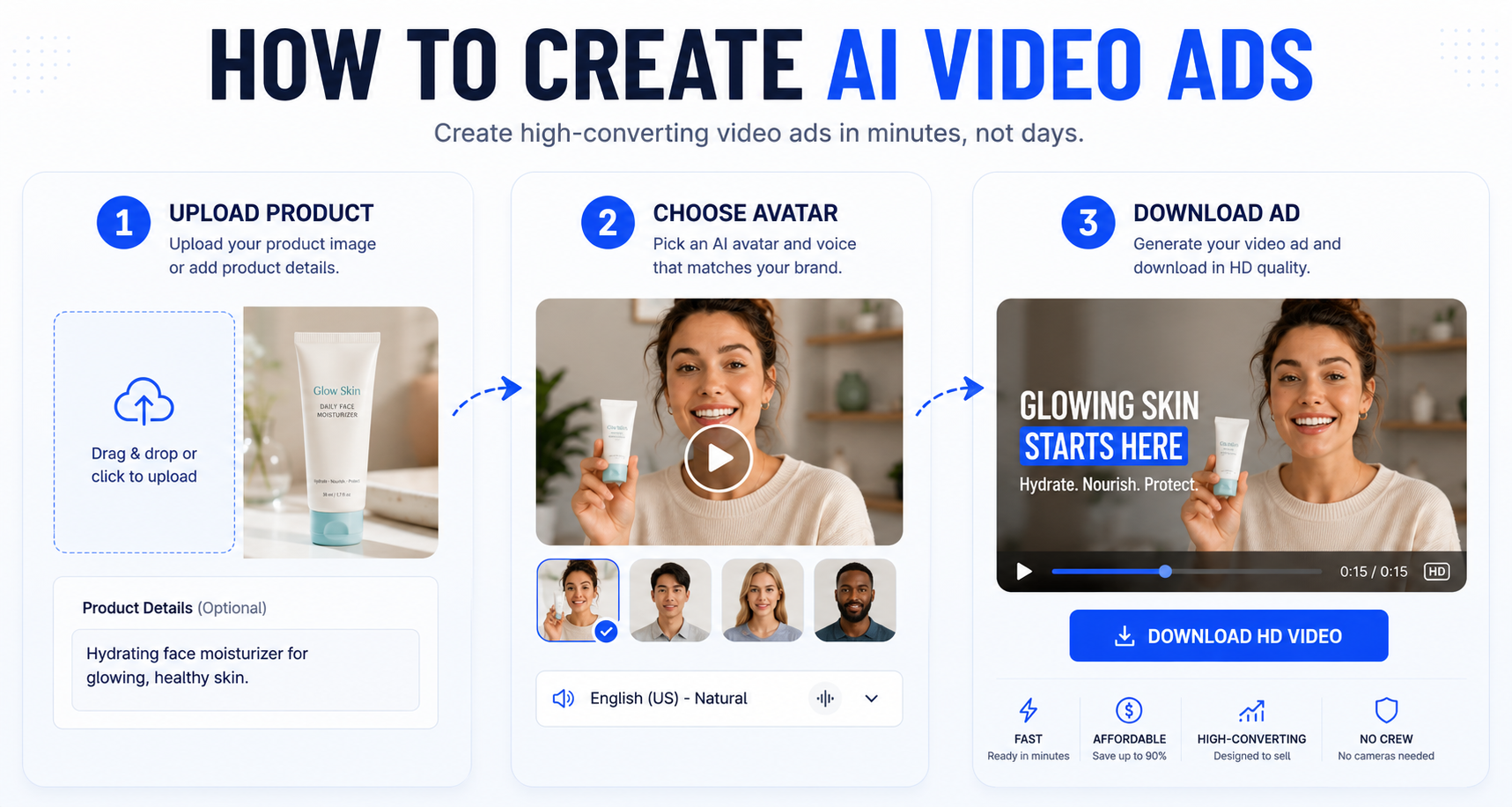
Step 2: Choosing Your AI Avatar
UGCAds has 67 avatars across a range of demographics, ages, ethnicities, and presentation styles. Choosing the right one matters more than most people expect.
The principle is simple: your avatar should look like the kind of person your target customer would take a recommendation from. For a skincare product targeting women 25-35, a 28-year-old female avatar speaking directly about skin concerns will outperform a middle-aged male avatar regardless of script quality.
More specific guidance that has come from watching actual test results:
For TikTok: Lean toward younger presenters (18-30) with a casual, high-energy delivery style. TikTok audiences respond well to enthusiasm and directness.
For Meta (Facebook and Instagram): A broader age range works here. Facebook's demographics skew older than TikTok, and a 35-45 year old presenter can outperform a younger one for many product categories in the Facebook feed.
For high-trust categories (supplements, financial, legal): Choose avatars that project competence and confidence. A presenter who reads as knowledgeable is more convincing for high-consideration purchases than one who reads as relatable but casual.
My recommendation: generate the same script with two different avatar types (e.g., a 25-year-old casual and a 35-year-old professional) and run them as a test variable. Avatar impact on performance varies significantly by category and audience.
Step 3: Selecting the Right AI Video Model
UGCAds gives you access to four video generation models. Here is when to use each:
Seedance 2: Use this for your first generation and for most standard UGC ad formats. It is the fastest (under 90 seconds), optimized for the social media native look, and produces strong results for talking-head testimonial formats. Default choice.
Kling 3.0: Use this when product-in-hand demonstrations are central to your ad. Kling 3.0 handles the human-product interaction better than any other model — hands gripping products, applying products, holding products in frame. If the product being physically present in the video matters for your category (beauty application, food preparation, supplement pouring), use Kling 3.0.
Sora 2: Use this when visual quality is more important than generation speed. Sora 2 produces the most cinematic output and handles complex scene compositions well. Use it for premium ad placements where production quality matters, or when you want to generate a hero clip to anchor a more elaborate creative.
Veo 3.1: Use this for short (under 8 seconds) high-quality product inserts. A 5-second Veo 3.1 clip of your product with exceptional lighting can be edited into a longer Seedance 2 or Kling 3.0 video to elevate the production quality of a scene.
Step 4: Aspect Ratio and Duration Settings
Platform-specific recommendations:
TikTok and Instagram Reels: 9:16 vertical, 15-20 seconds. TikTok's algorithm strongly rewards content that fills the screen natively. 15 seconds is the sweet spot for completion rate — long enough to communicate your message, short enough that most viewers who start watching will finish.
Facebook Feed: 1:1 square or 4:5 portrait. Square performs well in the feed without taking over the screen, which can feel intrusive. Portrait format is good for mobile feed. Avoid 9:16 for Facebook feed — it was designed for Stories and Reels, not main feed.
Instagram Feed (non-Reels): 1:1 square is the standard. Portrait 4:5 works for mobile-first audiences.
YouTube Shorts: 9:16 vertical, under 60 seconds (shorter is better for completion rates — aim for under 30 seconds for ads).
My workflow: generate 9:16 first. If the 9:16 version performs, regenerate the winning script in 1:1 for Facebook feed expansion. This maximizes your testing budget by only generating alternative formats for proven performers.
Step 5: Generating and Quality-Checking the Video
Click generate and wait. For Seedance 2, you will have a video in under 90 seconds. For Sora 2, allow 3-5 minutes.
When reviewing your output, check in this order:
- Lip sync: Watch the entire video focused specifically on whether the mouth movement matches the audio. Any section where they are out of sync will hurt credibility. If you see persistent lip sync issues, regenerate — it is usually a model variance issue that resolves on the next generation.
- Avatar consistency: Does the same person appear throughout the video? Occasionally AI generation produces visible changes in the avatar between shots. If you see this, regenerate.
- Background stability: Is the background consistent and free of artifacts? Fast-moving backgrounds or visible distortions are distracting.
- Audio quality: Is the voiceover clear, natural, and matching your script? TTS quality has improved dramatically and is usually excellent, but verify pronunciation of brand names or unusual words.
If any of these are significantly off, regenerate. There is no additional credit cost for regenerating with the same inputs — you are using the generation credit when you submit, and subsequent regenerations of the same job do not consume additional credits.
Step 6: Downloading and Running Your Ad
Download your finished video as MP4. It is ready to upload directly to:
- TikTok Ads Manager (Spark Ads or standard in-feed)
- Meta Ads Manager (Facebook and Instagram, all placements)
- Google Ads (YouTube In-Stream and Shorts)
- Snapchat Ads Manager
- Pinterest Ads
No additional compression, color correction, or formatting required. The output is platform-ready.
For Meta placements specifically: upload to the creative library in Ads Manager before building your campaign. This lets you test the creative across multiple ad sets without creating separate upload duplicates for each.
Step 7: Setting Up Your First Test
The worst thing you can do with your first AI video ad is put all your budget behind it before you know whether it works. The right approach is to test it.
A minimal but meaningful test setup:
- Budget: $15-20/day
- Placements: Automatic placements (let the platform optimize) or TikTok-only if you are focused on that platform
- Audience: Your existing audience targeting OR a broad audience if this is a cold traffic test
- Duration: 5-7 days before drawing any conclusions
What to look for after 5 days:
- CTR (click-through rate): Above 1% on TikTok or 2%+ on Meta suggests a working creative. Below 0.5% suggests the hook is not connecting.
- View-through rate: The percentage of viewers who watch to the end. Above 25% on TikTok is good. Below 15% suggests the content loses people before the CTA.
- CPA (cost per acquisition): If you are tracking conversions, compare to your benchmark cost per purchase. Within 30% of benchmark on a brand new creative is promising.
If CTR is low, the problem is usually the hook — try a different opening line. If view-through is low, the problem is usually in the middle section — the content is losing people after the hook. If CTA conversion is low, the problem is usually the offer or the landing page, not the ad creative.
Quick Reference: Complete Checklist for Your First AI Video Ad
- Script written with strong hook, specific problem, concrete solution, single CTA
- Script timed aloud — under 75 words for a 20-second ad
- Avatar selected that matches target customer demographic
- Seedance 2 model selected for first generation
- 9:16 aspect ratio set for TikTok/Reels
- Video generated and reviewed (lip sync, consistency, audio)
- Video downloaded in MP4
- Ad set up with $15-20/day budget and 5-7 day test window
- Performance metrics tracked from day 1
Total time from blank page to live ad: under 20 minutes the first time. Under 10 minutes once you have a working script template.
For context on what kind of results to expect and how to build a systematic testing operation: the complete UGC ads guide covers the full strategy. And if you want to understand how the underlying AI technology works before generating your first video: our explanation of AI video generation covers the technical side in plain English.
Start creating at ugcads.us — first video ad from $5, no subscription required.